AI Download Manager

Hand your downloads to your AI assistant.

A download manager for Windows that you can run from Claude or ChatGPT, from your phone, or straight from Chrome and Edge. No account, no tracking, no ads. Everything stays on your computer.

Windows 10 and 11 · Version 0.61 · No admin rights needed · 30-day free trial

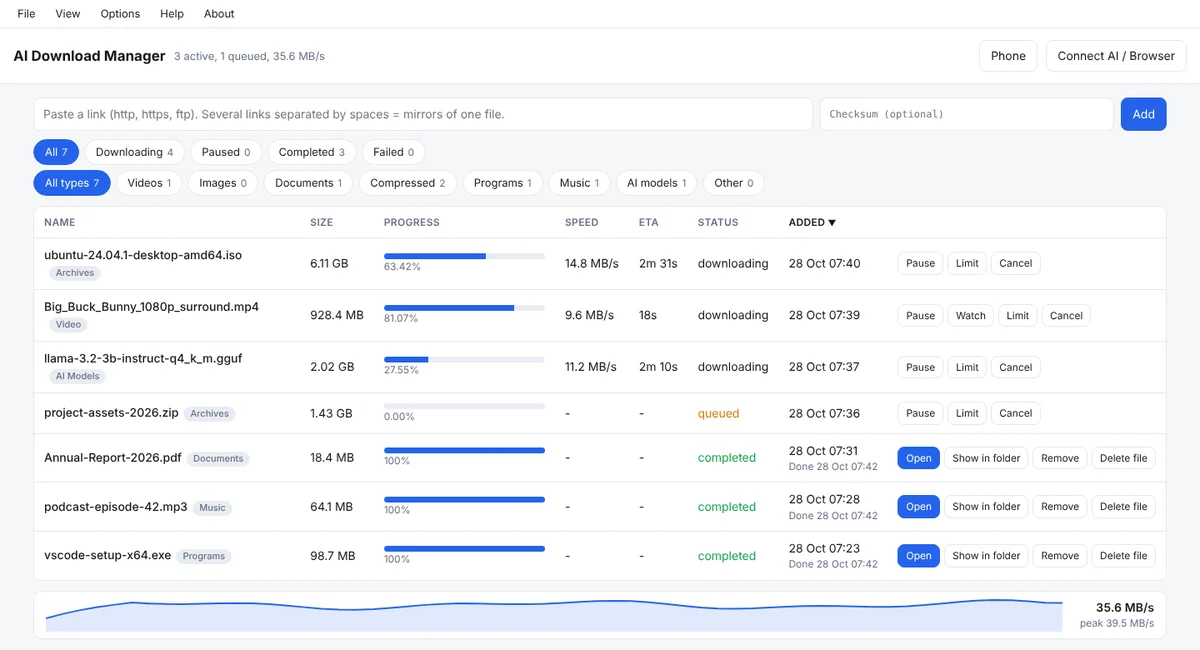
The AI Download Manager window with a list of downloads, their progress and speed, and a live speed graph at the bottom.
The download list in this picture is sample data.

Three ways to drive it

Other download managers wait for you to paste a link. This one also takes orders from your assistant, your phone and your browser.

From your AI assistant

Works with the Claude and ChatGPT desktop apps through MCP. You see each file's name and size and say yes before anything downloads.

Download these three files for me.

Here is what I found:
  • report-2026.pdf 18.4 MB
  • training-video.mp4 928 MB
  • charts.zip 1.4 GB
Start all three?

Yes.

From your phone

Start, pause and watch downloads from your phone. It connects over your own private Tailscale network, so nothing passes through our servers.

From Chrome and Edge

The browser extension hands your downloads to the program, with the cookies the site needs, so files that need you to be signed in still download.

A full download manager underneath

Several connections at once

Built on the aria2 engine, it splits a file into parts and fetches them together.

Pause and resume

Stop a download and pick it up later. If the connection drops, it continues where it stopped.

Speed limits and schedule

Keep the line free for others, or let big files run at night.

Live speed graph

See at a glance how fast things are moving, and when they will finish.

Archive extraction

Unpacks finished archives for you, including password-protected ones.

Sorted by type

Videos, documents, programs, music and AI models each go to their own folder.

Connect the browser in one click

Install the extension for Chrome or Edge, then:

  1. Click Connect in the extension.
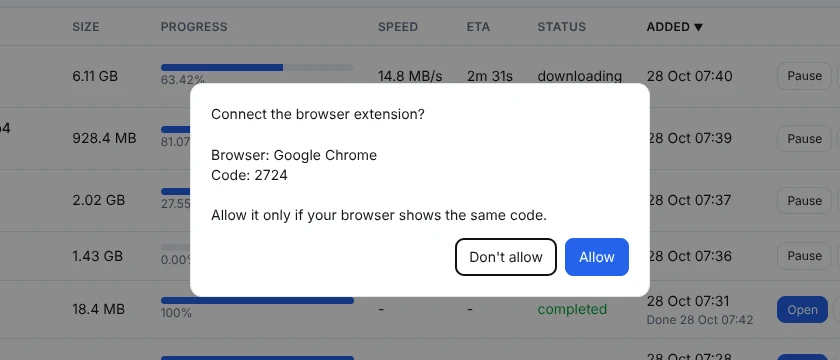
  2. Click Allow in the program window. Both show the same 4-digit code.
  3. Start any download. It appears in AI Download Manager.

If the program is not running, the browser keeps the download as usual. Nothing is lost.

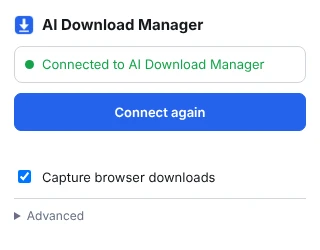
The program asks: Connect the browser extension? Browser: Google Chrome. Code: 2724. With Don't allow and Allow buttons. The extension popup showing Connected to AI Download Manager, and the Capture browser downloads switch turned on.

Everything stays on your computer

No account to create. No tracking, no analytics, no ads. The extension talks only to the program on your own computer. Your download list and settings are files on your disk.

Read the privacy policy

One simple price

$12 per year

Coming soon
  • Every feature, including AI and phone control
  • Up to 3 computers at the same time
  • 30-day free trial with nothing held back

After the trial the program stays open and your existing downloads keep working. Only adding new downloads needs a licence. Licences go on sale soon.

Questions

Why does Windows say “unknown publisher”?

The installer is not code-signed yet. We are arranging a code-signing certificate. Until then, Windows SmartScreen may show “Windows protected your PC”. To continue, click More info, then Run anyway.

Do I need administrator rights?

No. AI Download Manager installs for your own Windows user account.

Do I have to use an AI assistant?

No. It is a complete download manager on its own. AI, phone and browser control are extras you can switch on when you want them.

Which browsers does the extension support?

Google Chrome and Microsoft Edge.

How does phone control work?

You switch it on in the program. Your phone then reaches your computer over a private Tailscale network that you sign in to. Nothing passes through our servers.

Does it send my files or browsing data anywhere?

No. Files come straight from the sites they are on. The extension passes download details only to the program on your own computer. See the privacy policy.

What happens when the trial ends?

The program stays open and your existing downloads keep working. To add new downloads you need a licence: $12 per year for up to 3 computers.

Download

Version 0.6138.8 MBWindows 10 and 11No admin rights needed

Opening soon

The public download opens together with the browser extension's store listing. For early access, write to support@bluewakelabs.com.